English
 Arabic
The moment you touch the new Framework 13 Pro laptop you know it’s different to what’s come before. Despite the bubblegum pink USB Type-C ports I’ve jammed in either side of the machine, this is a serious laptop for serious work. But it’s also still instantly recognisable as one of the company’s eminently upgradeable and repairable notebooks. This is the true beauty of Framework’s new machine, a laptop that at once exists as the pinnacle of its hardware journey, but also steadfastly refuses to compromise on the core principles that has made it one of my favourite PC builders.
Though, it must be said, that refusal to compromise here comes at a hell of a cost because of the focus on ultra expensive LPCAMM2 memory.
This is a next-generation Framework laptop, but is still completely compatible with every Framework 13 device the company has shipped in the past five years or so. That is a hell of an achievement, meaning that you could have an ageing 13-inch laptop and pick and choose from the company’s Marketplace store whichever parts of the new machine you wanted. If all you wanted was the beautiful new CNC aluminium chassis and input cover, go for it; if you just wanted the new touchscreen, be our guest.
But it’s the full package here, with the Panther Lake-based Core Ultra Series 3 mainboard at its heart, that has made this hands down the best Framework machine you can buy or build. Every detail of the new laptop feels exquisite… bar one. And I know it’s a familiar refrain from me now, but I wish there was a more premium display option. I’ve been spoiled by OLEDs and Retina displays, and if Framework wants to truly own its ‘MacBook for Linux’ tagline then that’s the only place it falls down. And even then, only slightly.
Otherwise, I’m in love with what Panther Lake offers this device—almost silent operation, super-long battery life, and outstanding gaming performance—as well as how it feels, both in terms of that new chassis and this vastly improved keyboard and haptic touchpad. The Framework 13 Pro represents the idealistic young company all grown up, and it’s a machine that’s an absolute delight to use.
Buy if…
✅ You’re sold on its ethos: If you want an upgradeable laptop that will stand the test of time Framework has proved time and again its commitment to the bit.
✅ You want a MacBook-feeling Linux laptop: Of course it’s more than happy with Windows, but Framework has ensured its grown-up machine has deep Linux distro compatibility out of the box.
Don’t buy if…
❌ You ever check your bank account: The memory crisis has bitten the Framework 13 Pro hard, most especially in the Intel configuration with the spiking cost of LPCAMM2 modules, making this an incredibly expensive laptop.
Framework 13 Pro features
|
Processor |
Intel Core Ultra X7 358H |
|
Cores |
4 Performance, 8 Efficient, 4 Low Power Efficient |
|
Threads |
16 |
|
Boost clock speed |
4.8 GHz |
|
Graphics |
Intel Arc B390 |
|
RAM |
32 GB LPDDR5X-7467 MT/s (LPCAMM2) |
|
Storage |
1 TB SanDisk SN7100 |
|
Display |
13.5-inch touchscreen |
|
Resolution |
2880 x 1920 |
|
Refresh |
120 Hz |
|
Battery |
74.5 Whr |
|
Power brick |
100 W GaN |
|
Weight |
1.44 kg |
|
Dimensions |
15.85mm x 296.63mm x 228.98mm |
|
Price |
From a pure performance and efficiency point of view, it’s the Intel mainboard sitting inside the Framework 13 Pro which makes this such a powerful and usable laptop. The Core Ultra X7 358H chip baked into it comes with the magnificent Arc B390 integrated graphics core that has made the MSI Claw 8 EX AI+ such an outstanding gaming handheld, and that gives the 13 Pro some impressive gaming chops, too.
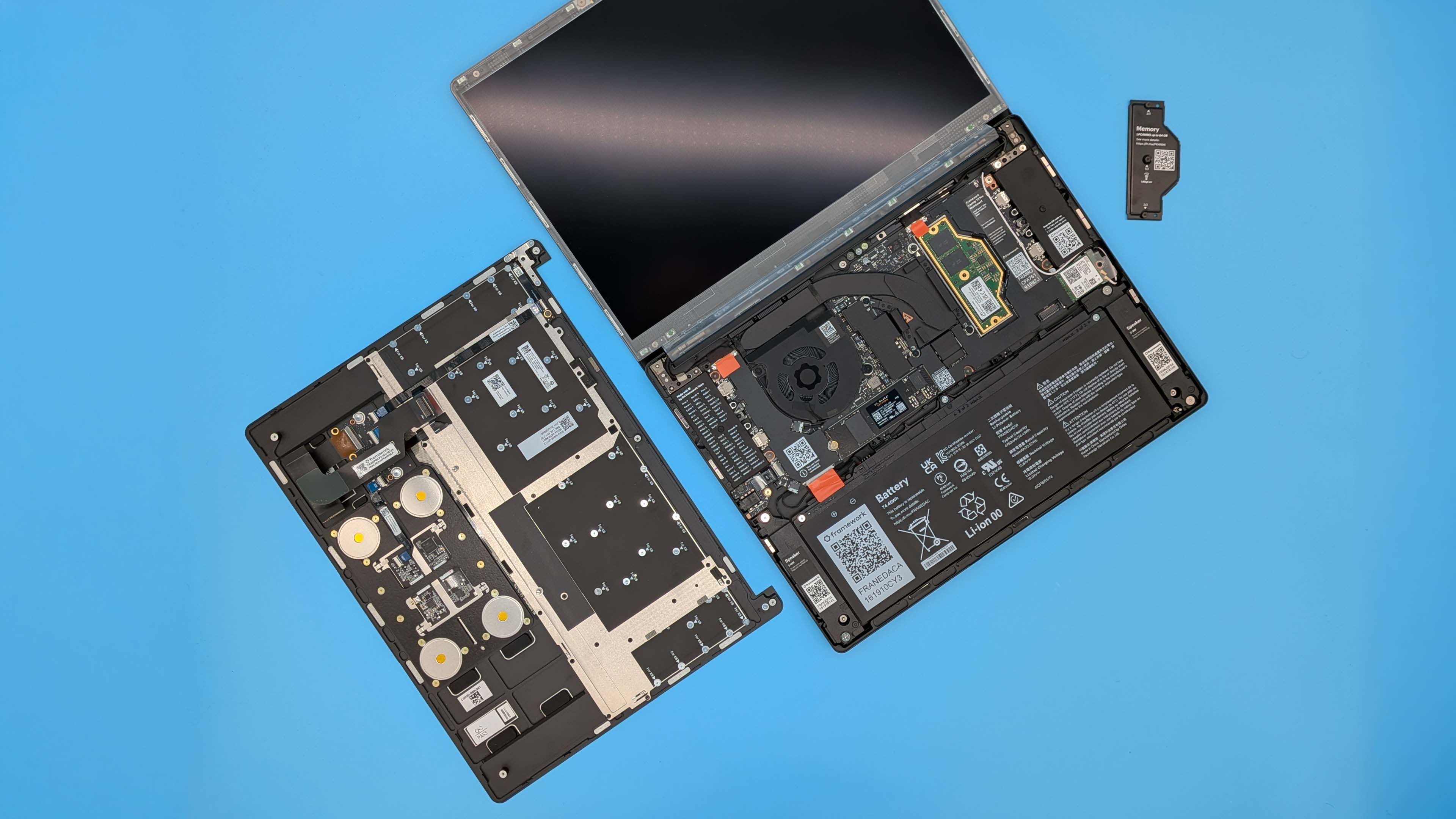
One other interesting thing to note about the new mainboard is its use of LPCAMM2 modules. Interesting… and expensive. When the design choices were made—with the goal of maintaining high memory bandwidth and throughput for the Panther Lake CPU without soldering on LPDDR5X and losing upgradeability or repairability—Framework would have known it was a more expensive option, but the memory crisis has made that exponentially worse.
There is also a level of fear to dropping in a new memory module that I’ve not experienced before. When you add in the LPCAMM2 module you need to line it up on a whole load of pins. Pins which, like motherboard socket pins, are very much incompatible with an errant thumb brushed across them. Too casual installation will kill a new mainboard real quick.
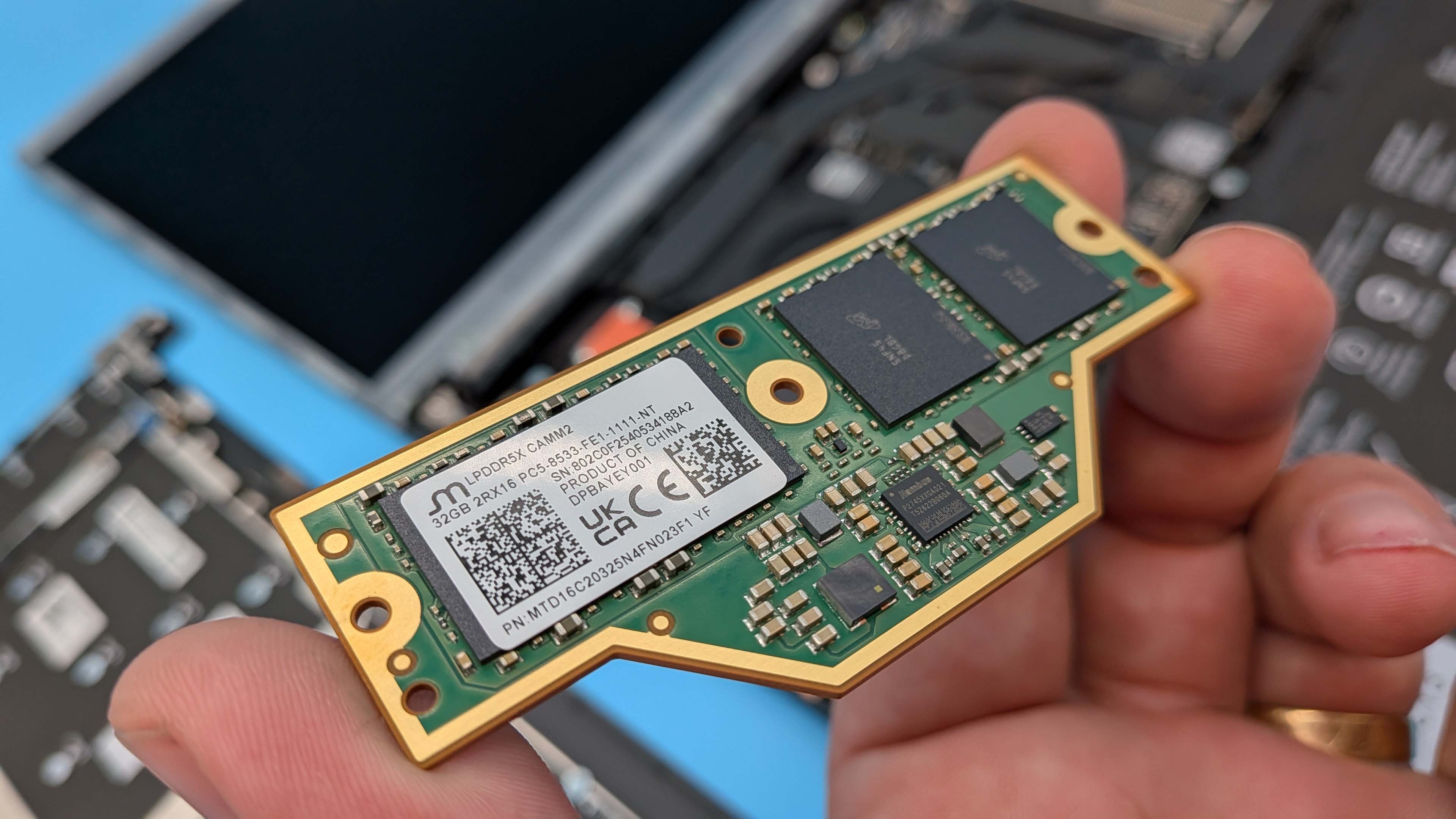
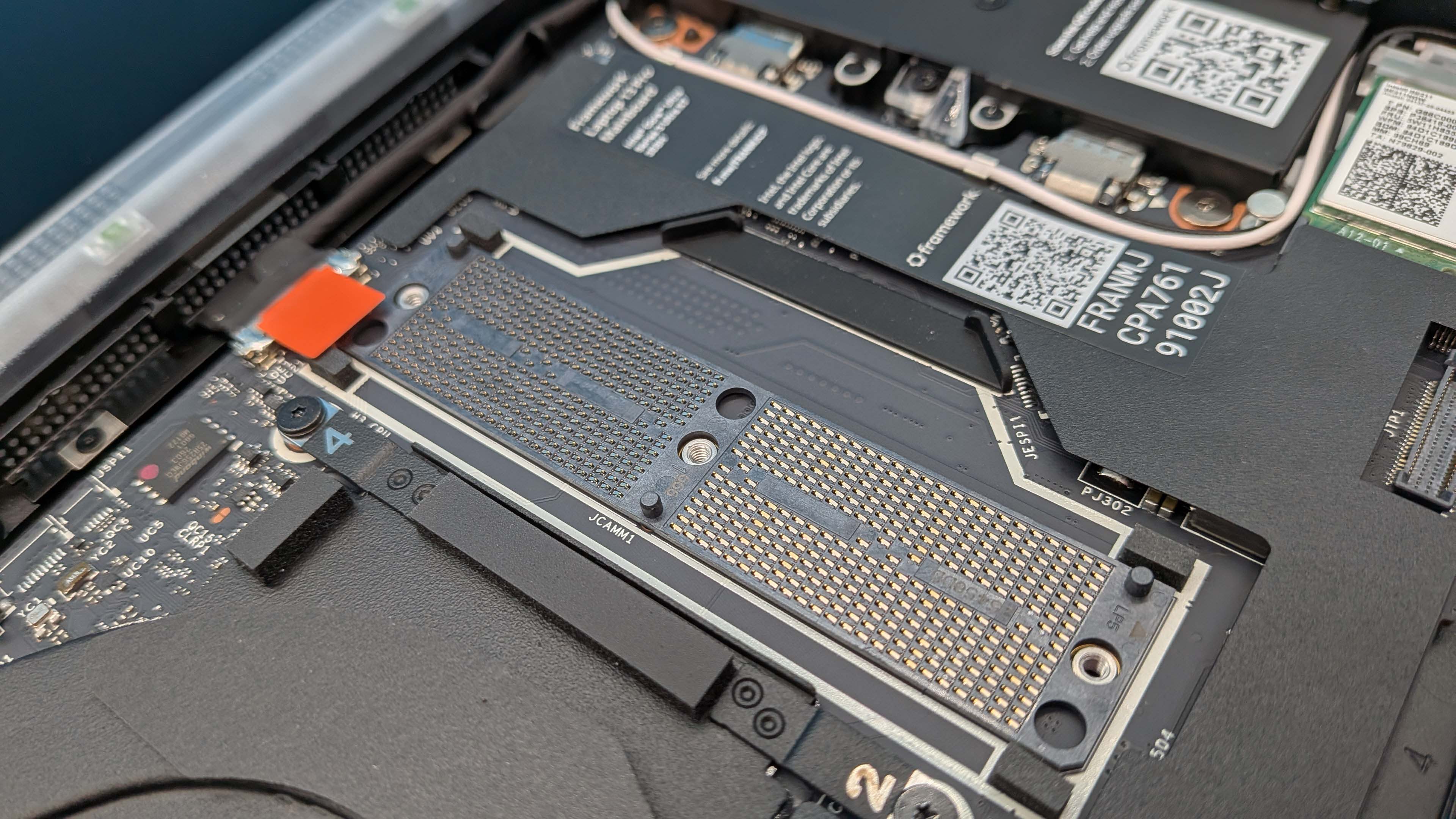
That new Intel SoC has been wrapped in a new cooler, which along with the efficiency gains of the Panther Lake architecture, allows for regularly silent operation. Combine that efficiency with the increased battery capacity of 74 Whr (compared to 61 Whr in previous versions of the machine) and you’re getting stellar battery life out of the machine.
To cope with that increased battery girth Framework has redesigned the CNC machined aluminium bottom cover to have less of a taper to the front of it. The actual thickness of the frame hasn’t really changed, but it’s more uniform now. Which is no bad thing, and really does give it that MacBook/Razer Blade feel to the chassis. Impressively though, it is still backwards compatible with all the other Framework 13 laptops the company has ever released in that you could order the chassis on its own and drop your existing system into it without an issue.
Also getting the CNC aluminium treatment is the top cover for the rear of the display and the input cover housing the keyboard and the new haptic touchpad, both of which are excellent. The increased travel on the keyboard makes it a joy to type on, and the responsive trackpad is a real improvement over the original, and was designed especially for Apple folk coming across the divide to a PC laptop. My only concern is that multi-finger gestures too easily actuate a press, which is difficult to configure on the Fedora distro I’m using at the moment.
Finally, the Framework 13 Pro comes with a new touchscreen panel. It’s a 120 Hz display, with a 2880 x 1920 native resolution that runs impressively bright (up to 700 nits) if you want it to. What it isn’t, however, is a responsive OLED display. It’s not a gaming panel, as CEO Nirav Patel explains to me when I speak to him on the show floor at Computex, but there is still a level of ghosting to the display which doesn’t feel as premium as everything else about the device.
Framework 13 Pro value
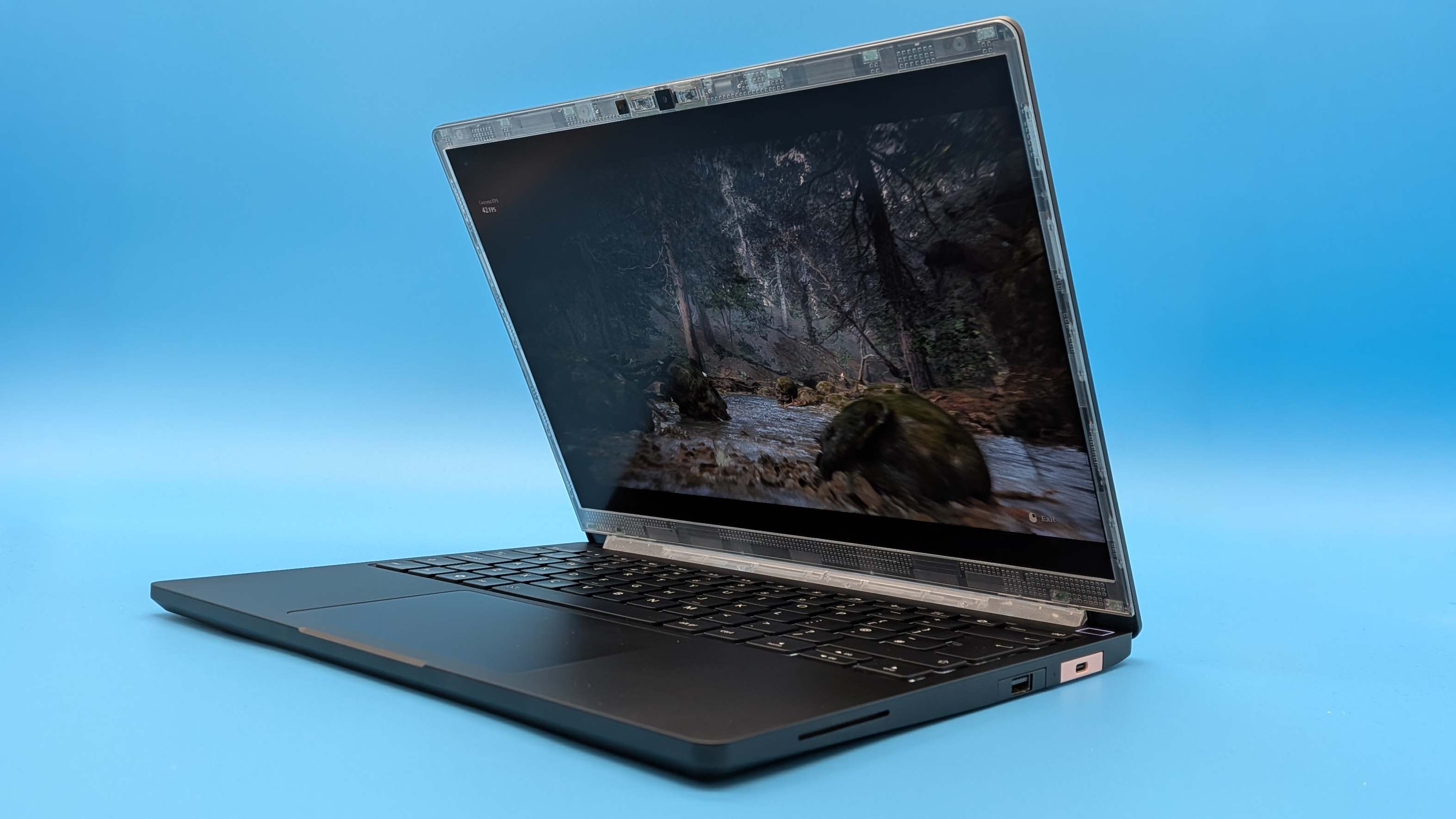
The concept of ‘value’ for the Framework 13 Pro is a tricky one. On the one hand you have the fact that the best version of this machine comes with the Intel Core Ultra Series 3 processors, and they demand the fastest LPDDR5X memory you can give them. And, to ensure Framework sticks to its upgrade/repair ethos, it is using LPCAMM2 modules to deliver that fast LPDDR5X memory.
These are not common, and they are not cheap. There are few suppliers, and Framework recently admitted that its current supplier for these Micron modules has increased the cost by “more than double”. You only have to look at the configurator on the Framework website for the 13 Pro to see what that means. A 16 GB LPCAMM2 module costs $239, while the 32 GB version adds another $800 onto the cost of the laptop. That makes the cost of the Framework 13 Pro rather prohibitive for most mere mortals.
Even a 16 GB 13 Pro config will run you well over $2,000. And even if you switch to AMD, the HX 370 Framework 13 Pro configs of the same spec costs just shy of $2,500.
The other side of this, however, is that Framework has been walking the walk on long-term upgradeability for its devices for many years over many different generations of PC hardware from different manufacturers. That means the initial premium outlay for a Framework system can be offset by the fact that you may not have to buy another whole laptop again for a very, very long time given the level of granular upgrades on offer.
I will grant you that this is a very high bar to get over, however. When the cost of an initial Framework 13 Pro purchase is this high you’re going to have to keep hold of this thing, upgrading piece-by-piece for many generations, to even get close to breaking even with someone who just bought a new machine every time, and hang the ecological consequences.
Framework 13 Pro sound
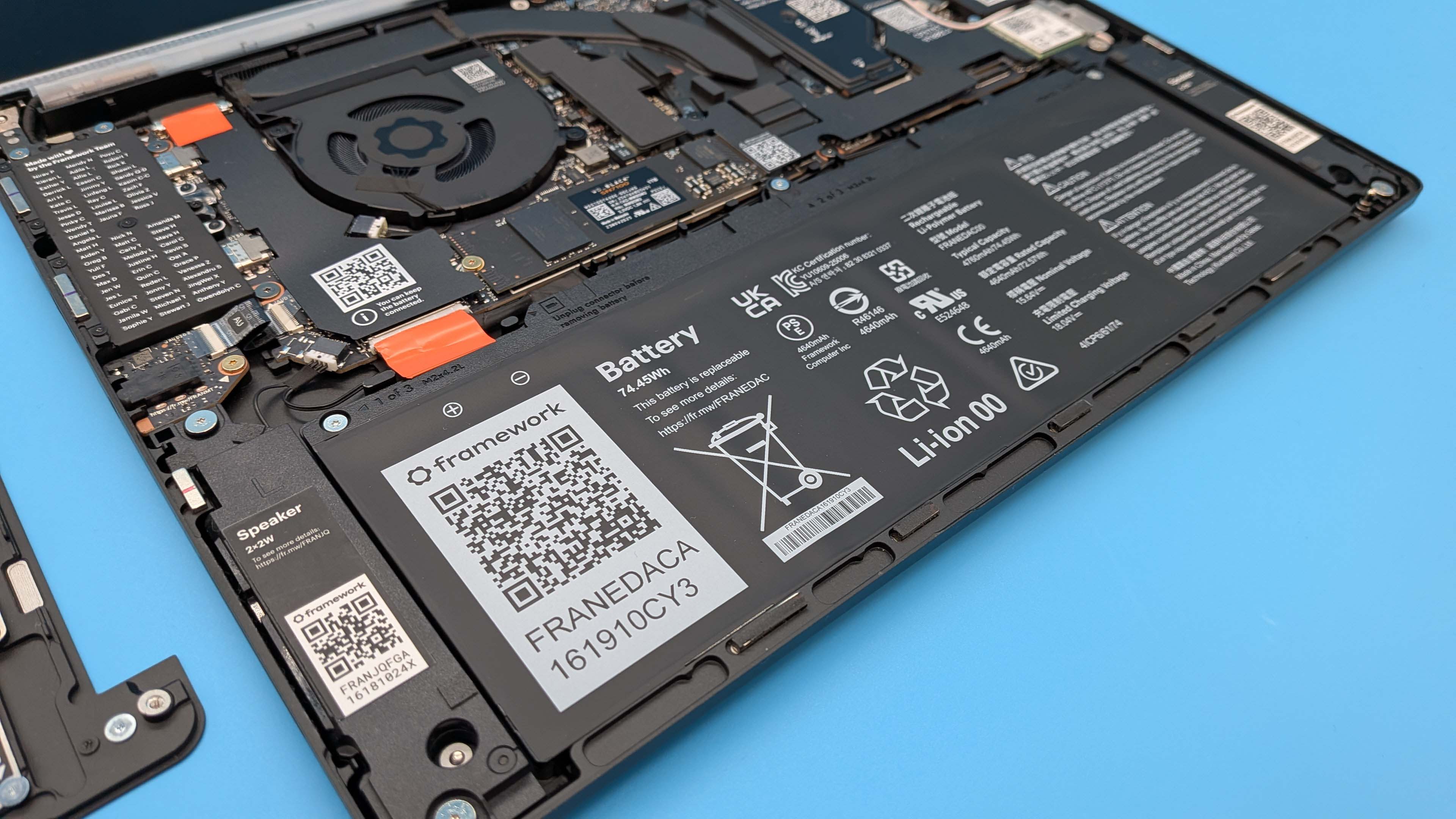
When it comes to the actual audio experience, Framework has added new side-firing speakers to the design, rather than the original down-firing ones. They deliver impressive clarity and will go pretty loud, too, but they are still just laptop speakers. Basically, do not expect real room-filling audio with thumping bass.
But it’s the other sound production side of the Framework 13 Pro that has me truly impressed, and that’s the fan noise. It’s long been an issue for me and Framework laptops; there’s no way to control the fan levels unless you hack in some third-party tools made by the community, and they noise has often trended far too far to the unpleasant for my liking, especially when under serious load.
That was a concern for me as someone who wanted to use the B390 iGPU at the heart of the Core Ultra X7 CPU inside this machine for gaming. I shouldn’t have been worried, however, as even when I’m pushing the Arc GPU the system is tuned to rein it back in a little (but not too much) and keep it running at a genuinely quiet level. There is fan noise, but it’s slight at worst.
For most of the time I’ve been using the Framework 13 Pro outside of gaming, though, it’s been all but silent. And often actually silent.
Framework 13 Pro performance
When I first started benchmarking the Framework 13 Pro, with its Intel Core Ultra X7 358H chip, I’d come off the back of testing the MSI Claw 8 EX AI+ with the very similar Intel Arc G3 Extreme processor. And there was a slight level of disappointment at seeing the performance not quite hitting those levels or the levels of our initial Panther Lake performance tests when the architecture first came out.
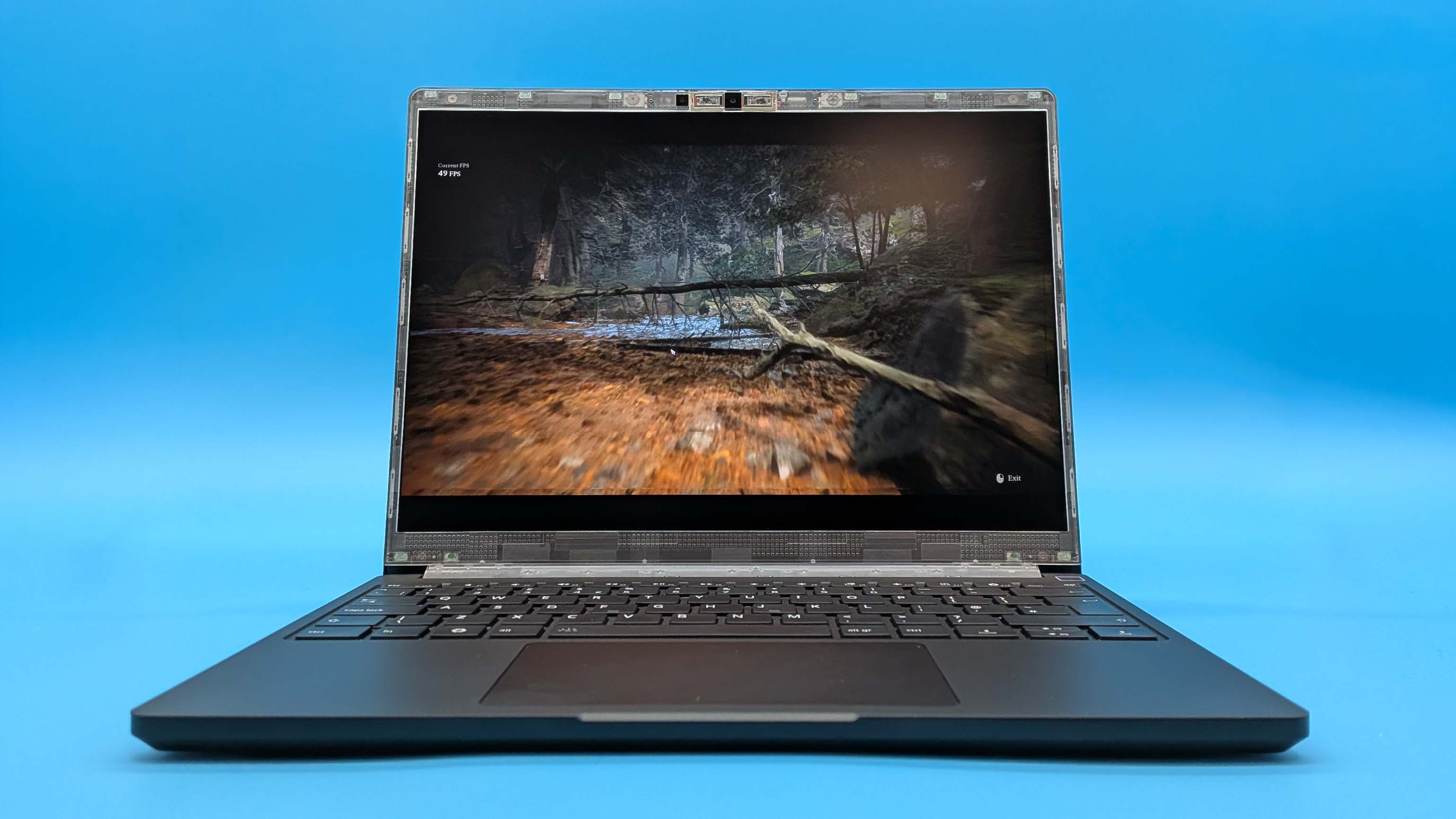
But I’ve already mentioned just how quiet a device this 13 Pro machine is, and that’s as true when doing CPU rendering as it is when I’m pushing it with Cyberpunk 2077. On a machine such as this I’ll take a few missing frames per second in exchange for an actual experience that doesn’t make me want to stab myself in the ears to get away from the sound.’
You can see in the CPU benchmarks that the chip is bouncing off 100 °C and thermally throttling, and it’s the cooling limitations necessary to maintain the chilled experience which are slightly holding back the gaming frame rates, too.
Even if we are talking about a slight tempering of the performance of the Arc B390 iGPU compared with other devices sporting Intel’s top integrated graphics, it’s still the most powerful that you will find and places this machine head and shoulders above the best that AMD’s Ryzen AI 9 HX 370 can muster.
And I was already pretty impressed with that.
Framework 13 Pro aesthetics
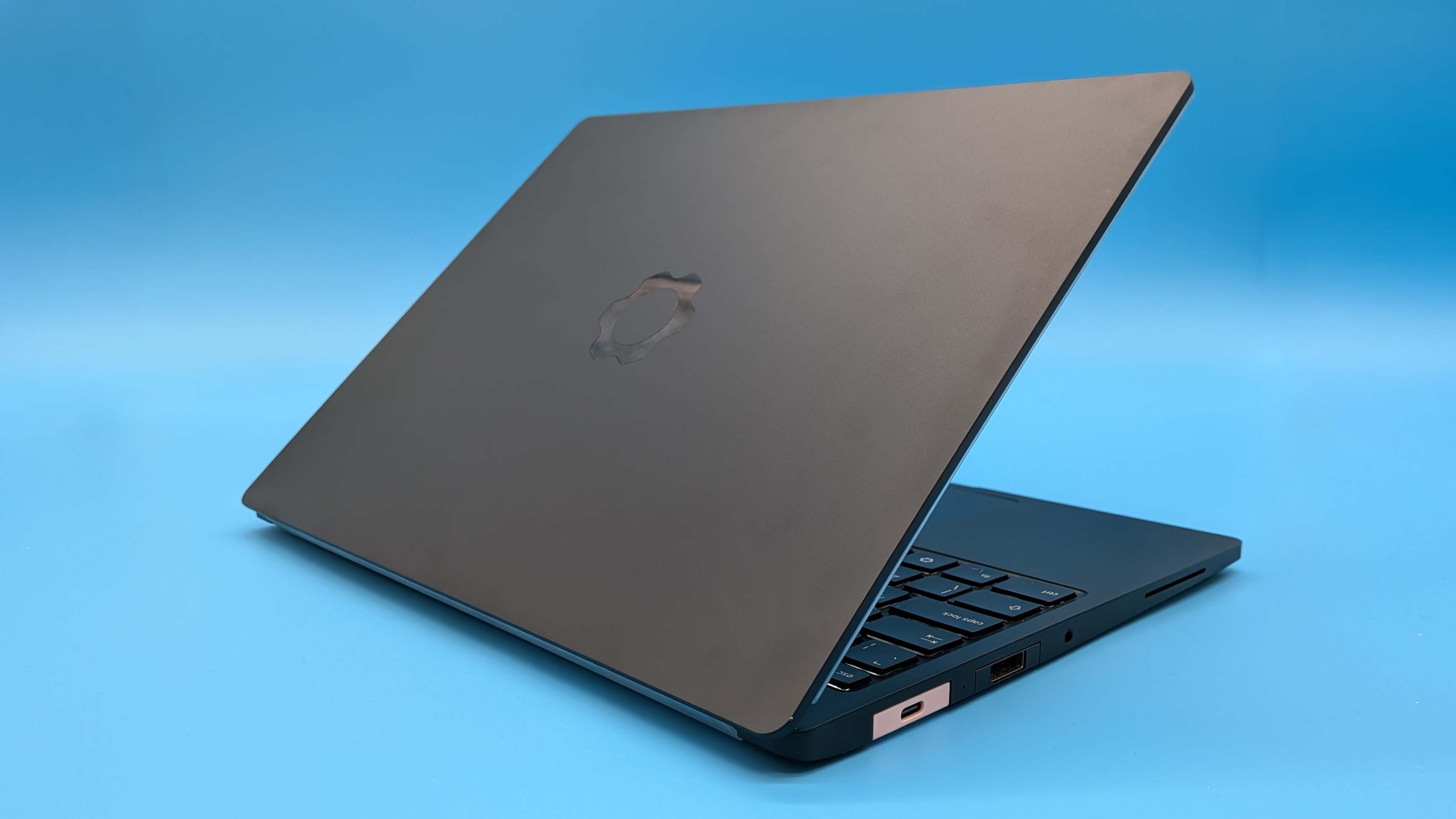
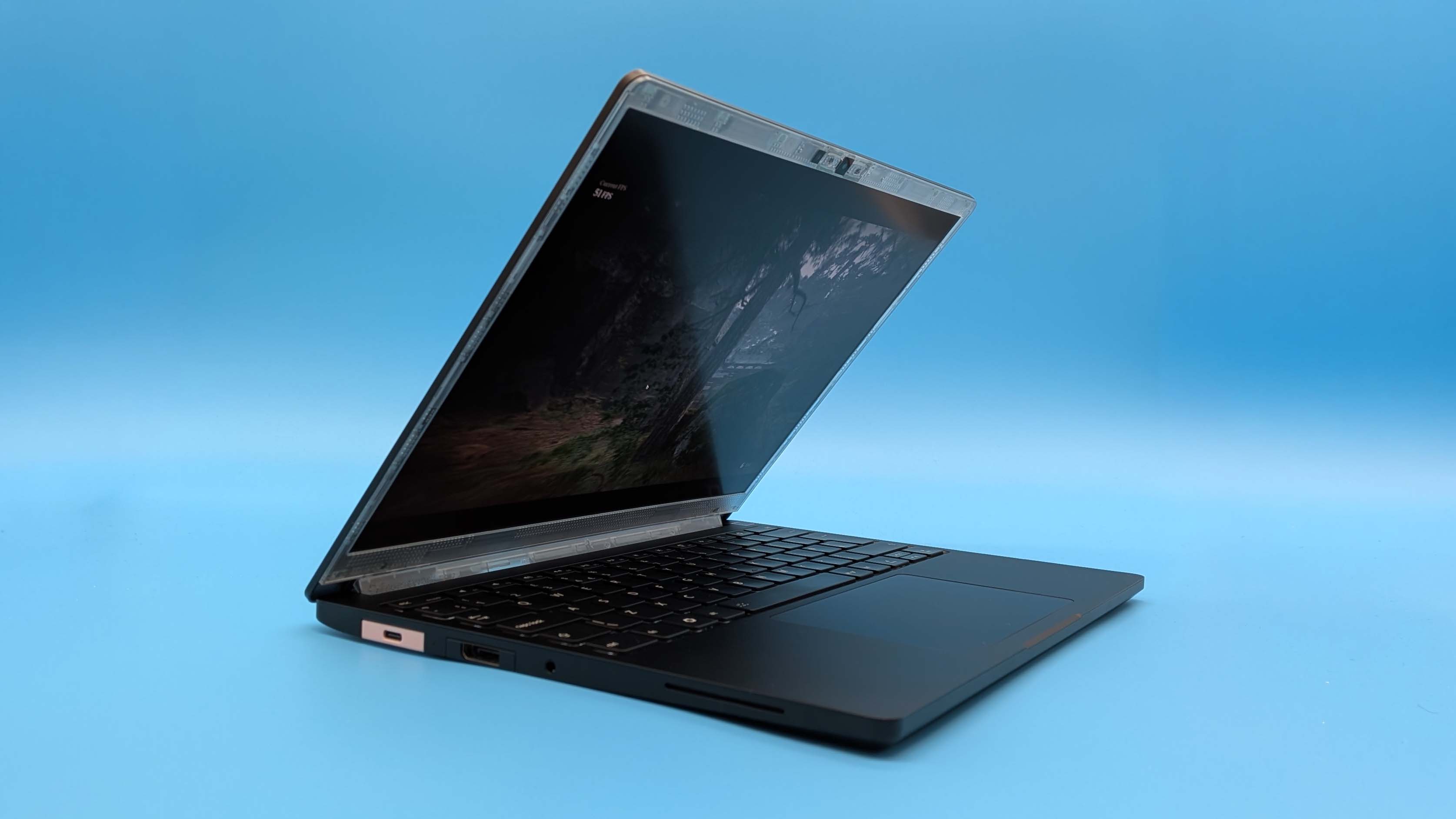
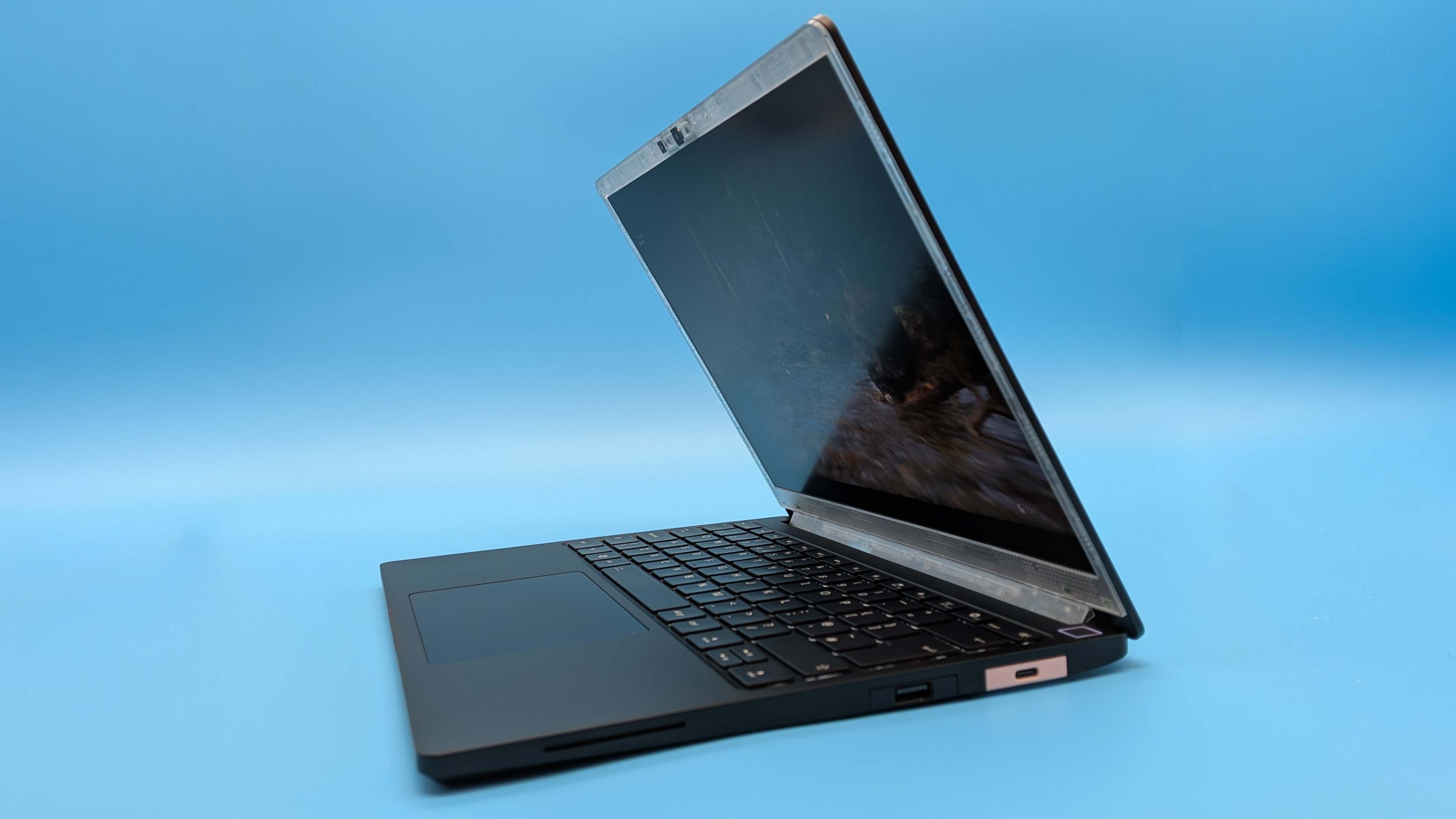
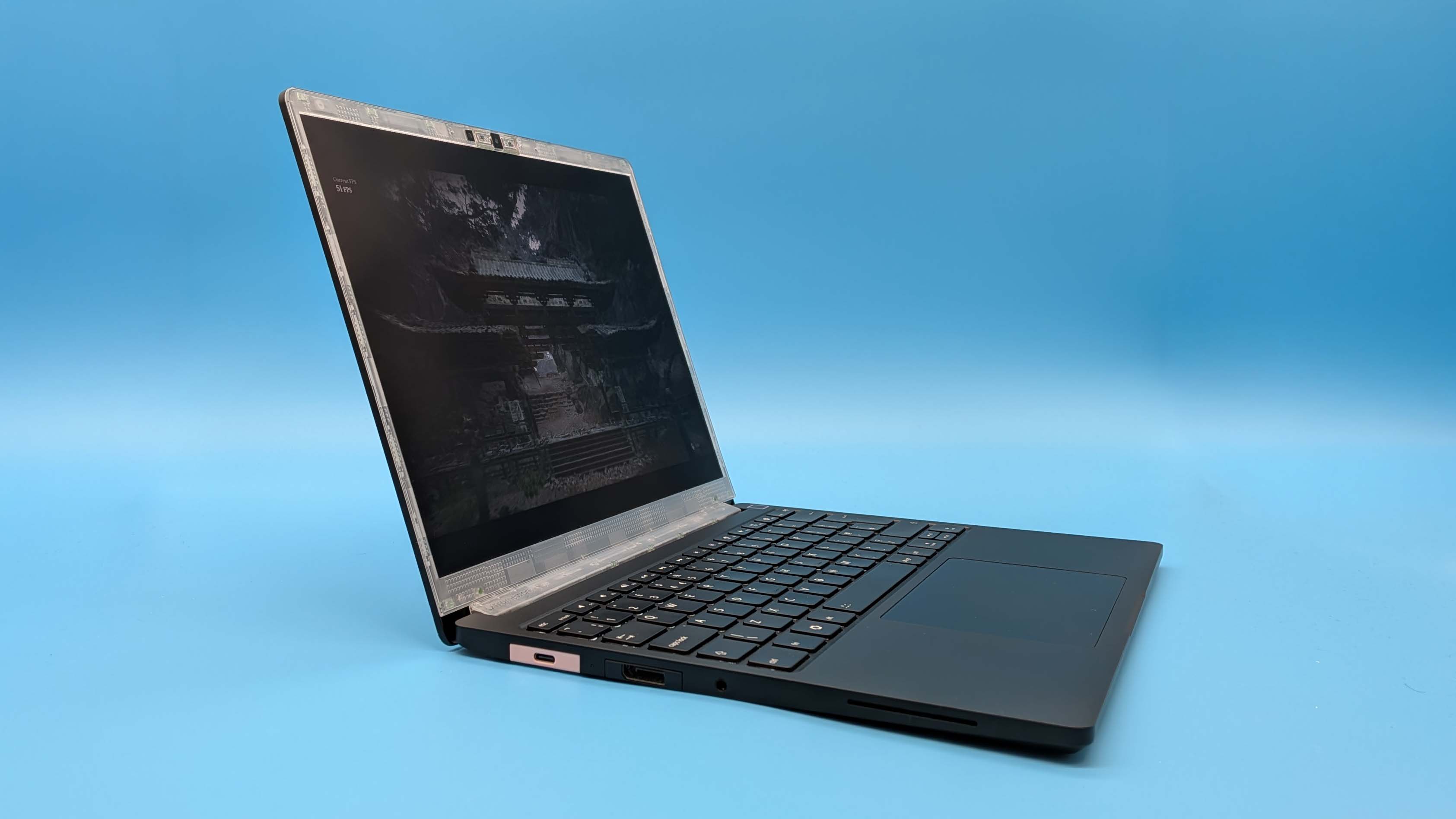
With its graphite black, CNC milled aluminium chassis the Framework 13 Pro is the most effortlessly stylish laptop the company has ever produced. It feels like the culmination of everything Framework has been working towards for these six years. The slightly chunkier styling, necessitated by the bigger batter sitting underneath the touchpad at the front of the device, makes it feel far more solid than before.
And actually makes it feel far more like the MacBook it’s trying to ape, and the Razer Blade 14 that it’s potentially going to replace as my daily driver.
It actually is more solid, too, as you can pick it up by the corner and the extra structural rigidity afforded by that new aluminium frame means there is zero give. The same is true of the keyboard as well which betrays no movement bar the extra travel of the keys Framework has deliberately introduced into this version.
But then you’ve also got all the other Framework touches that has made its 13-inch laptop such a pleasing device for years. You have your choice of coloured and translucent bezels as well as a plethora of colours for the USB Type-C input modules. For this layout I’ve gone for a pair of bubblegum pink ports and a translucent grey bezel for that extra techie feel. But that’s my preference and you can make your own choices at the point of purchase yourself.
Framework 13 Pro software
There is no bloat, because there doesn’t have to be any software included at all.
If you just want to stick a Linux distro onto your device the SSD will be shipped blank, likewise if you want to use your own copy of Windows rather than spend $200 on a needless Windows Pro license.
There is a driver bundle for Windows you can download from the Framework support site, and you will need Wi-Fi drivers in hand when you install Windows (‘cos that’s still a thing), but Linux support is largely there out of the box when you install your distribution of choice.
The slight downside of this, as I noted before, is that there is no system control software. That means there is no granular control over power options beyond the OS options, and there are no fan controls, either. The fan control issue isn’t a thing for Panther Lake, however, thanks to its quiet operation straight off the bat, but I wish I could control the SoC’s TDP as easily as you do on a gaming handheld, but that’s a relatively minor gripe in a world that is often replete with too many different bits of control software fighting each other.
Framework 13 Pro battery life
Of course this is not a gaming laptop, but the level of gaming performance you can get out of this ostensibly productivity laptop is excellent. Development by day, gaming by night. Or on the go, because the battery life of the Framework 13 Pro is also very, very good.
Stick it on balanced mode in Windows and boot up a game and you’ll find the battery drains in a little over two hours, but the latest Arc drivers include the same Endurance mode I loved so well in the MSI Claw 8 EX AI+. It doesn’t quite get you the same five hours of gaming that handheld delivers, but you’re still not getting far off a doubling of the gaming uptime of the standard mode.
That does try and stick you to 30 fps as a rule, but when you’re trying to keep gaming as long as possible when you’re on the move—or trying to make sure that when you’re done playing you have some power left for some actual work—then it’s a worthy compromise.
That, however, is a Windows thing, requiring the latest Intel Arc drivers and isn’t necessarily something you can replicate within a Linux environment. Almost all of Framework’s impressive 13 Pro battery life numbers are recorded from a Windows installation, with only its seven days of standby measured with Ubuntu.
That doesn’t mean it’s bad in Linux, not by a long shot. I’m using a Fedora Cosmic Atomic distribution at the moment, and have been running it all day long today, without it going into standby once, playing music, downloading games, and having video meetings, as well as writing this review, and I’ve only gone through half the battery capacity in six hours. It’s all-day battery life for sure, though I think Panther Lake’s optimisations are probably going to be felt more keenly in a Windows environment.